Using SIEM and XDR to Support CMMC Compliance
SIEM and XDR are not optional tooling under CMMC Level 2. When implemented correctly, they directly support required security controls and materially reduce audit risk. When implemented poorly, they increase cost and fail to satisfy assessor expectations.
This article explains how SIEM and XDR support CMMC compliance, which controls they map to, what assessors expect to see, and the mistakes that routinely cause assessment failures.
Why SIEM and XDR Matter for CMMC Compliance
CMMC Level 2 requires organizations to demonstrate the ability to:
Secure your business and remote users
Get an All-In-One security stack, reduce lateral movement, and monitor every endpoint, fully managed for you. For just $1 per day.
Book a Meeting Now- Monitor system activity continuously
- Detect and analyze security events
- Investigate and respond to incidents
- Retain and review audit logs
- Produce defensible evidence of ongoing operations
Manual log review and ad hoc alerts are insufficient.
Properly deployed SIEM and XDR platforms provide:
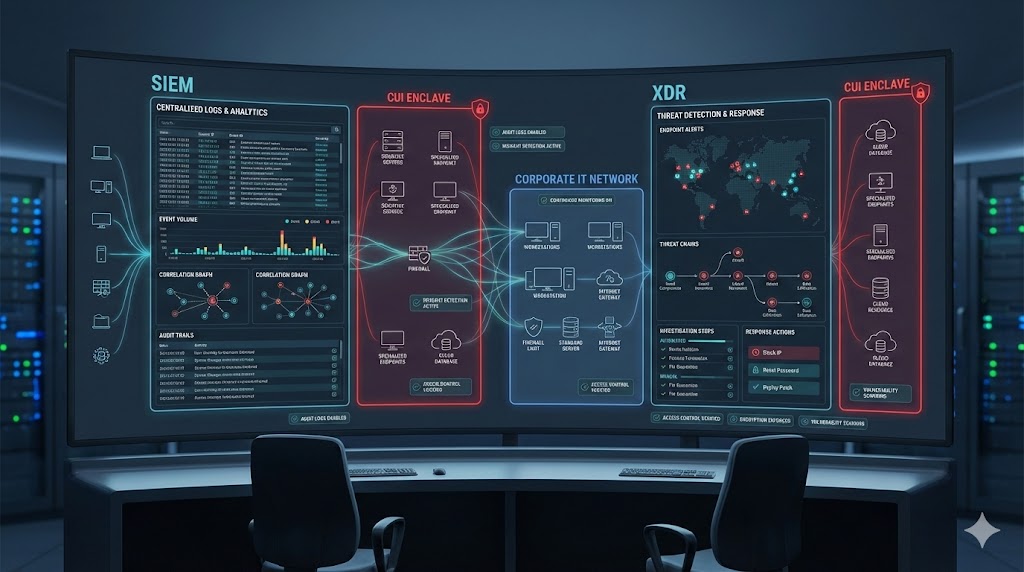
- Centralized visibility across endpoints and networks
- Event correlation and threat context
- Proof of continuous monitoring
- Assessor-ready audit artifacts
Without these capabilities, organizations typically fail controls in Audit & Accountability, Incident Response, and System & Communications Protection.
CMMC Control Families Supported by SIEM and XDR
Audit and Accountability (AU)
SIEM is foundational for Audit and Accountability.
Assessors expect to see:
- Centralized log collection from in-scope systems
- Tamper-resistant log storage
- Defined log retention periods
- Evidence of routine log review
Controls supported include:
- AU.L2-3.3.1 Event logging
- AU.L2-3.3.2 Log review and analysis
- AU.L2-3.3.3 Event correlation
- AU.L2-3.3.8 Time synchronization
Sample evidence includes:
- Log source inventories
- Retention configuration screenshots
- Analyst review records
- Alert correlation dashboards
Incident Response (IR)
XDR is critical for incident detection and investigation.
Assessors look for:
- Detection of malicious activity
- Alerts tied to response actions
- Documented investigations
XDR supports:
- IR.L2-3.6.1 Incident handling capability
- IR.L2-3.6.2 Incident reporting
- IR.L2-3.6.3 Incident testing and lessons learned
Acceptable evidence includes:
- XDR alert timelines
- Incident tickets or case records
- Investigation notes showing containment and remediation
System and Communications Protection (SC)
SIEM and XDR provide visibility into traffic and system behavior.
Relevant controls include:
- SC.L2-3.13.1 Boundary protection monitoring
- SC.L2-3.13.6 Monitoring communications for attacks
Assessors expect proof of:
- Ingress and egress visibility
- Detection of lateral movement
- Correlation across endpoints and network telemetry
Risk Management (RA)
SIEM and XDR data should feed the risk management program.
Assessors expect:
- Threat data tied to documented risks
- Evidence that risks are monitored and updated
Valid inputs include:
- Alert trends
- Incident frequency metrics
- Detection coverage gaps
These should directly inform:
- Risk register updates
- Management review decisions
What CMMC Assessors Actually Expect
Owning a SIEM or XDR platform is irrelevant without operational evidence.
Assessors will verify:
- Logs are actively collected from in-scope systems
- Alerts are reviewed on a defined cadence
- Incidents are investigated and documented
- Retention policies are enforced and justified
Common assessor questions include:
- Which systems are in scope and logging?
- Who reviews alerts and how often?
- Show an investigation from start to resolution
- How long are logs retained, and why?
If you cannot answer with evidence, the control fails.
SIEM vs XDR in a CMMC Environment
SIEM
Primary function:
- Log aggregation
- Correlation
- Retention
- Audit trail generation
Best aligned to:
- Audit and Accountability controls
- Log review requirements
- Historical analysis
XDR
Primary function:
- Detection
- Investigation
- Response
Best aligned to:
- Incident Response controls
- Malware detection
- Endpoint and network threat visibility
In most CMMC Level 2 environments, both are required, even if delivered through a unified platform.
Common SIEM and XDR Mistakes That Cause Audit Findings
- Logs collected but never reviewed
- No documented review cadence
- Alerts without response workflows
- Retention periods with no policy justification
- SIEM or XDR deployed outside the CUI boundary
- No documentation mapping tools to CMMC controls
Tools that are not operationalized do not count.
How to Implement SIEM and XDR Correctly for CMMC
1. Scope Correctly
- Identify all CUI systems
- Ensure full SIEM and XDR visibility over those systems
- Exclude out-of-scope assets intentionally
2. Map Tools to Controls
- Document which controls SIEM supports
- Document which controls XDR supports
- Reference both in the SSP and supporting policies
3. Define Review and Response Procedures
- Log review frequency
- Alert severity thresholds
- Incident escalation paths
4. Produce Assessor-Ready Evidence
- Screenshots of configurations
- Exported logs
- Incident case examples
- Review records with timestamps
Final Takeaway
SIEM and XDR do not make you compliant by default.
They only support CMMC compliance when they are:
- Properly scoped
- Actively used
- Correctly documented
- Explicitly mapped to controls
When implemented correctly, SIEM and XDR:
- Reduce audit risk
- Strengthen security posture
- Simplify evidence collection
- Support continuous compliance
CMMC assessors evaluate operational discipline, not tool ownership. Align SIEM and XDR to the controls, prove continuous use, and compliance becomes defensible rather than fragile.